 ·
4 minute read
·
4 minute read
More and more LMS platforms are adding AI chatbot features. If you're evaluating how to bring AI into your corporate learning stack, you've probably seen them — built-in assistants that promise to help learners navigate courses, answer questions, and personalize the experience. Sounds great on paper. But when you look at what these LMS chatbots actually know versus what a SCORM-embedded AI tutor knows, the difference is fundamental.
This isn't about one being "better" in every scenario. It's about understanding what each approach can and can't do, so you can make the right choice for your learners.
What an LMS Chatbot Actually Knows
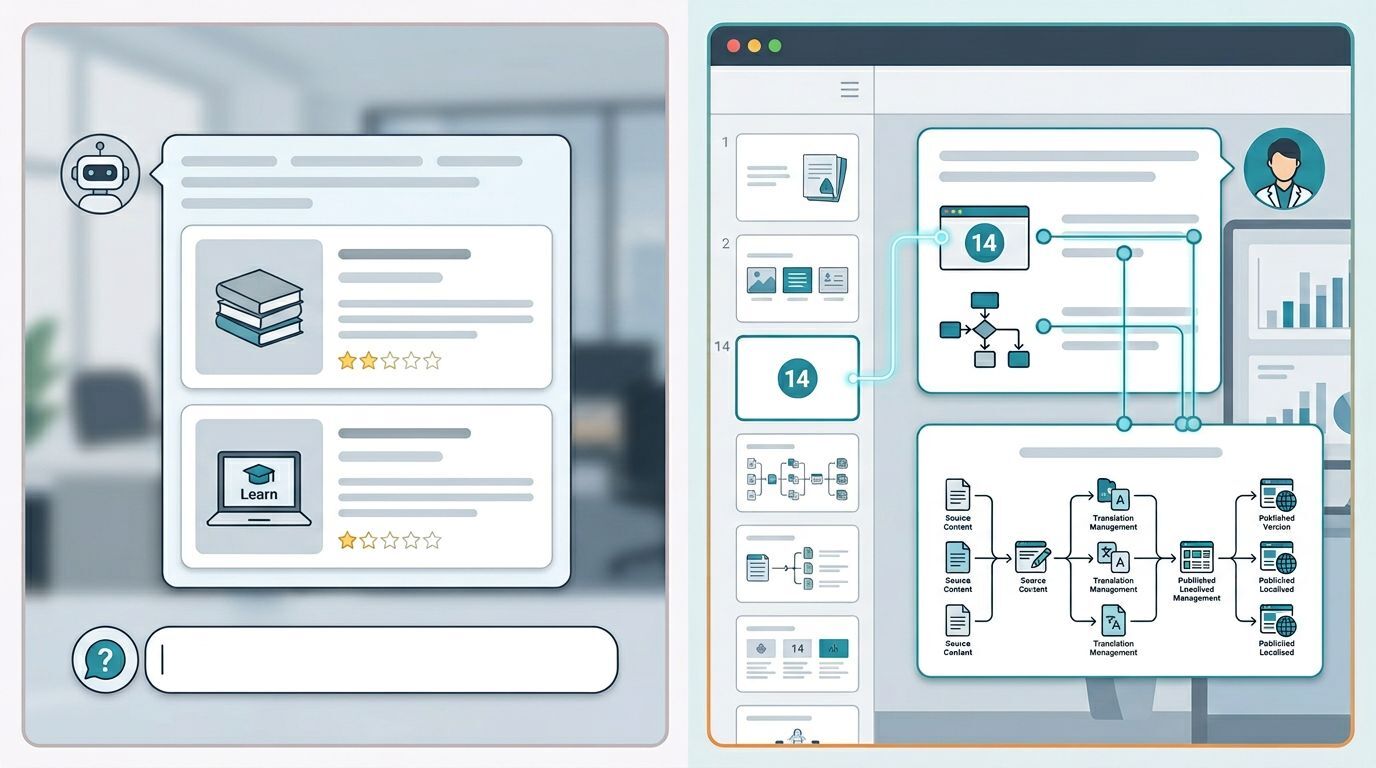
An LMS chatbot operates on catalog data — what the platform calls metadata. That includes:
- Course title
- Duration
- Tags and categories
- Description text
- Module names
- Completion status
This is useful information. If a learner asks "Which courses cover data protection?", the chatbot can search the catalog and return a list. If someone wants to know "How long is the cybersecurity essentials course?", it has the answer.
But here's where it stops.
The LMS chatbot doesn't know what's on slide 14. It doesn't know the formula explained in module 3. It can't tell you what the diagram on the safety procedures page actually means. It has no access to the content inside the course — only the label on the outside.
What a Content-Aware AI Tutor Knows
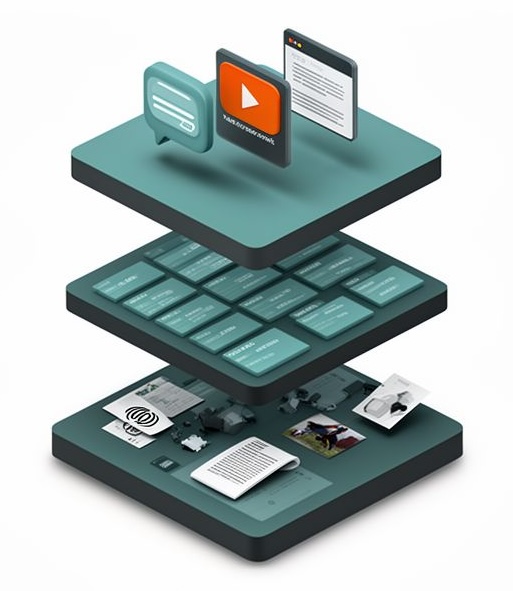
A SCORM-embedded AI tutor takes a fundamentally different approach. Instead of working with metadata, it processes the complete course content — across all media types:
- Text on every slide — headings, body text, bullet points, notes
- Audio transcripts — narration extracted and transcribed, so the tutor can reference what the narrator said, not just what's written on screen
- Image descriptions — photos, screenshots, illustrations analyzed and described in context (a photo of a server rack becomes "the physical network infrastructure shown in the data center image")
- Diagram explanations — technical diagrams, flowcharts, formulas interpreted and made explainable
- Slide structure — the tutor knows which content appears on which slide, in which order
This matters because most corporate SCORM courses aren't text-only. They contain narrated slides, product photographs, safety diagrams, process flowcharts. An AI that only reads text misses half the course. A content-aware tutor processes it all.
The Slide-Awareness Factor
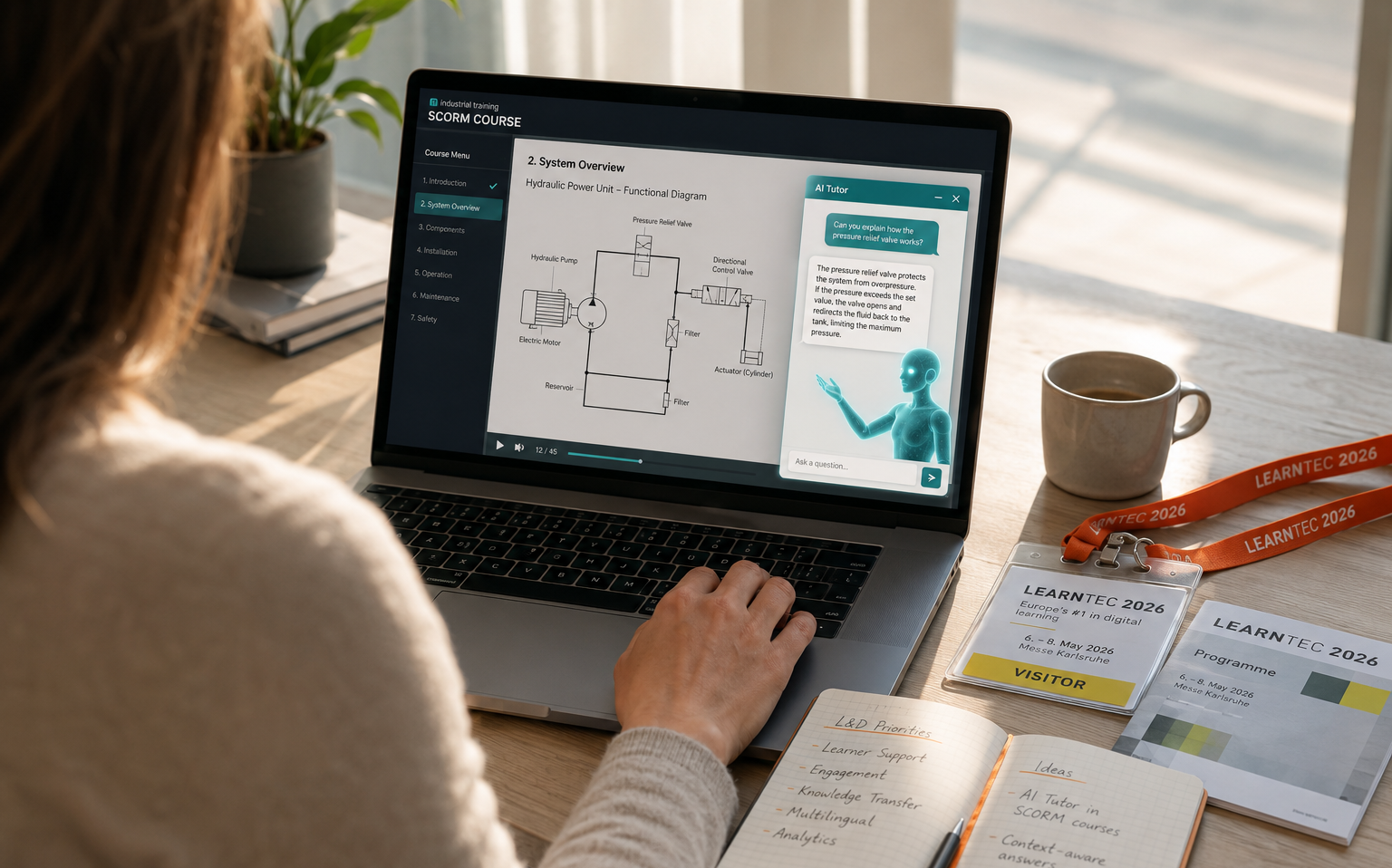
Here's where the difference becomes most tangible. A SCORM-embedded AI tutor is slide-aware — it knows exactly where the learner is in the course at any given moment.
When a learner is on slide 23 and asks a question, the tutor's response is contextualized to slide 23. It can reference the diagram they're looking at, the concept that was just introduced, or the example from two slides ago. The learner doesn't need to explain where they are or what they're looking at. The tutor already knows.
An LMS chatbot, by contrast, exists outside the course. It can't see what the learner is viewing. It can't reference specific slides. It operates in a vacuum of catalog-level information, disconnected from the actual learning moment.
A Real Scenario: "What Does This Org Chart Mean for Me?"
Consider this situation: an employee is taking a compliance course about their company's reporting structure. They're on a slide with a complex organizational chart showing escalation paths for different types of compliance violations. The arrows and dotted lines are confusing.
What happens with an LMS chatbot: The learner asks "Can you explain the escalation path for data breaches?" The chatbot searches the catalog. It finds the course title, maybe a tag like "compliance." It might suggest related courses. But it cannot explain the chart because it has never seen it.
What happens with a content-aware AI tutor: The learner asks the same question. The tutor knows which slide they're on, has processed the org chart, and responds: "Based on this slide, data breach reports go to your direct supervisor first, then to the Data Protection Officer within 24 hours. The dotted line to Legal means they're informed in parallel but don't need to approve the escalation. The key difference from other violation types is the 24-hour window — for financial misconduct, it's 72 hours."
That level of specificity isn't possible without understanding the actual course content.
When an LMS Chatbot Makes Sense
To be fair: LMS chatbots aren't useless. They serve a real purpose — just a different one.
An LMS chatbot is valuable when:
- Learners need to find the right course from a large catalog
- You want to recommend learning paths based on role or career goals
- Learners have administrative questions (enrollment, deadlines, certificates)
- You need catalog search that's more intuitive than keyword filtering
If your main challenge is course discovery and catalog navigation, an LMS chatbot handles that well.
When You Need an AI Tutor
A SCORM-embedded AI tutor becomes the right choice when:
- Learners have questions about course content — concepts, formulas, processes
- Your courses contain complex technical material that needs explanation
- You want to reduce passive consumption and create active learning through dialog
- Retention is the problem, not discovery — people find the courses, they just don't remember them (see also: Your SCORM Courses Already Have the Answers)
- You have a large course library with good content that no longer fits how people learn — the two-hour course format doesn't match the ten minutes a sales rep has between customer meetings, or your diverse team needs different depth levels from the same material
- You have externally produced courses where you can't modify the source but need to make them more effective
- You need multilingual support without translating entire courses (the tutor answers in whatever language the learner asks)
A practical rule of thumb: if you're managing more than 20 courses, an AI layer pays off quickly. It's added on top of existing courses without touching the source files — no reauthoring, no migration. The learners get a conversational interface, you get better engagement data, and the knowledge that's already in your courses finally becomes accessible on demand.
Not an Either/Or Decision
These two approaches solve different problems. An LMS chatbot helps learners find and navigate courses. A SCORM-embedded AI tutor helps learners understand, retain, and apply course content — and it can work across multiple courses, connecting knowledge from different modules into a coherent picture.
If a learner asks a question that spans two related SCORM packages — say, a product training and a safety certification — a cross-course-aware AI tutor can draw on both. An LMS chatbot would show you two separate catalog entries.
The key question is: where are your learners struggling? If simple catalog navigation is enough, an LMS chatbot covers that. If what matters is that learners actually engage with course content — ask questions, get explanations, revisit specific topics — that's where an AI tutor makes the difference.
See the Difference in Action
We're happy to show you exactly how a content-aware AI tutor works — using one of your own SCORM courses. No slides, no pitch deck. Just your course, with an AI tutor that understands every slide, every diagram, every audio clip inside it.
Book a demo and see it for yourself: Schedule a demo